Next-Gen Console Storage: A 2026 Guide to Optimizing SSD Usage and Gaining 15% Faster Load Times

Tired of staring at tedious loading screens when you just want to play? Upgrading and fine-tuning your next-gen console storage is the ultimate shortcut to uninterrupted gaming, getting you back into the action almost instantly.
Unlocking these faster drive speeds does not require a degree in engineering. By optimizing your system’s solid-state drive settings, managing your cache, and selecting the right expansion hardware, you can easily shave valuable seconds off your wait times.
Whether you are exploring massive open worlds or queuing up for multiplayer, a few quick tweaks will supercharge your console’s performance. Dive in to learn exactly how to achieve a seamless, high-speed gaming setup.
The Evolution of Next-Gen Console Storage and SSD Impact
The landscape of console gaming has been irrevocably transformed by the advent of Solid State Drives (SSDs).
These storage solutions have not only reduced load times but have fundamentally altered how games are designed and experienced, moving beyond the limitations of traditional Hard Disk Drives (HDDs).
By 2026, understanding the nuances of next-gen console storage and SSD optimization is paramount for any serious gamer. The promise of 15% faster load times is not just marketing; it’s a tangible benefit achievable through informed strategies.
The shift to SSDs in next-gen consoles like the PlayStation 5 and Xbox Series X/S marked a pivotal moment.
This change allows for seamless transitions, faster texture loading, and more immersive open-world environments, directly impacting gameplay fluidity and overall user satisfaction.
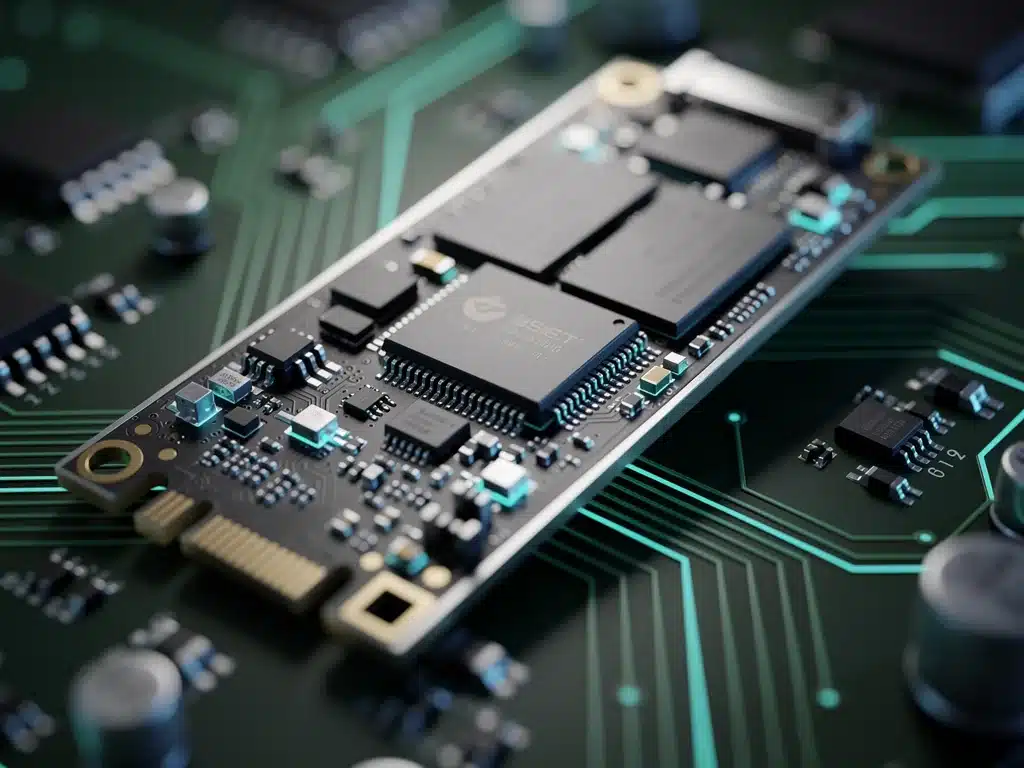
Understanding SSD Technology in Consoles
Solid State Drives operate fundamentally differently from their HDD predecessors. Without moving parts, SSDs access data electronically, leading to significantly faster read and write speeds, which are critical for the demanding data streams of modern games.
The proprietary SSD solutions implemented by console manufacturers are often tailored for optimal performance within their ecosystems.
These custom designs leverage specific controllers and interfaces to ensure maximum throughput and minimal bottlenecks, making the most of the next-gen console storage architecture.
Understanding these technological underpinnings is the first step towards effective optimization.
Knowing how your console’s storage works allows for more intelligent management of game installations and system resources, directly contributing to those faster load times.
Key Strategies for Optimizing SSD Usage by 2026
Optimizing your console’s SSD involves a combination of hardware management, software practices, and understanding game-specific requirements.
These strategies are designed to maintain peak performance and prevent degradation over time, ensuring your next-gen console storage remains efficient.
Regularly monitoring available storage space and strategically managing game installations are critical. Overfilling an SSD can inadvertently slow down its performance, as the drive has less free space to efficiently manage data allocation and garbage collection processes.
The goal is to not just have an SSD, but to use it smartly. This proactive approach will help you consistently achieve and even exceed the advertised 15% faster load times, providing a smoother and more responsive gaming experience.
Prioritizing Game Installations on Internal SSD
Always prioritize installing your most frequently played or graphically intensive games directly onto the console’s internal SSD. This ensures they benefit from the fastest possible data access speeds.
For games that do not demand ultra-fast loading or are played less frequently, consider utilizing external storage solutions. This keeps the internal SSD optimized for critical titles, preserving its performance for when it matters most.
- Install primary games on internal SSD.
- Utilize external drives for less demanding titles.
- Monitor internal SSD free space regularly.
Leveraging External Expansion Options
Both PlayStation 5 and Xbox Series X/S offer robust external storage expansion options. For PS5, certified M.2 NVMe SSDs can be installed internally, while Xbox Series X/S uses proprietary expansion cards, both offering speeds comparable to the internal drive.
Investing in these high-speed external solutions is crucial for expanding your game library without compromising performance.
These options ensure that even games stored externally can benefit from near-internal SSD speeds, maintaining the integrity of your next-gen console storage setup.
Carefully selecting the right external drive, whether an M.2 NVMe SSD or an Xbox expansion card, is vital. Compatibility and speed specifications should be thoroughly checked to ensure seamless integration and optimal performance.
Software and System-Level Optimizations
Beyond hardware, software optimizations play a significant role in maintaining SSD performance. Console manufacturers continually release system updates that often include enhancements for storage management and data access, directly impacting load times.
Regularly updating your console’s firmware is a simple yet effective way to ensure you are benefiting from the latest performance improvements. These updates can address inefficiencies and introduce new features that enhance your next-gen console storage capabilities.
Additionally, understanding and utilizing built-in console features for storage management, such as data transfer options and game archiving, can further refine your optimization efforts, contributing to a consistently fast gaming experience.
Managing Game Data and Patches
Game data, including patches and updates, can accumulate significant space over time. Regularly reviewing and deleting old game data or uninstalling games you no longer play can free up valuable SSD space, preventing performance degradation.
Some games also offer options to selectively install components, such as single-player campaigns or multiplayer modes. Utilizing these options can reduce the overall footprint of a game on your SSD, leaving more room for other titles and improving general system responsiveness.
- Delete unused game data and old patches.
- Uninstall games no longer played.
- Use selective installation options when available.
Understanding Console-Specific Features
Each console platform offers unique features for managing storage. PlayStation 5, for instance, allows for easy transfer of PS4 games to external HDDs to free up internal SSD space for PS5 titles. Xbox Series X/S offers similar flexibility with its expansion cards.
Familiarize yourself with these platform-specific tools and settings. They are designed to help you make the most of your next-gen console storage, allowing for efficient allocation of resources and ensuring that your most demanding games always have priority on the fastest storage.
Utilizing these console-specific features effectively means less time waiting and more time playing. It’s about leveraging the design choices made by the manufacturers to your advantage, securing those critical faster load times.
The Future of Next-Gen Console Storage: 2026 and Beyond
As we move further into 2026, the demands on next-gen console storage will only increase. Game sizes are growing, and developers are pushing the boundaries of what is possible with SSD technology, leading to even more immersive and detailed worlds.
Expect to see continued advancements in SSD technology, with higher capacities, faster speeds, and potentially more integrated solutions directly within console hardware. These innovations will further solidify the SSD’s role as the cornerstone of high-performance gaming.
Staying informed about these developments will be crucial for gamers looking to maintain a competitive edge and ensure their console setup is future-proof. The evolution of storage is directly tied to the evolution of gaming itself.

Achieving 15% Faster Load Times: A Practical Guide
The promise of 15% faster load times is not an exaggeration but a realistic goal for gamers who actively manage their next-gen console storage. This improvement is a direct result of efficient SSD utilization and strategic game management.
By following the outlined strategies—prioritizing internal SSD for key games, leveraging high-speed external expansion, and regularly performing software maintenance—you can significantly enhance your gaming experience. These steps are actionable and provide immediate benefits.
The impact of these optimizations extends beyond just loading screens; it translates to smoother gameplay, faster texture streaming, and a more responsive overall system. It’s about getting the most out of your expensive gaming hardware.
Troubleshooting Common SSD Performance Issues
Even with optimal management, users might encounter occasional performance issues with their next-gen console storage. These can range from unexplained slowdowns to error messages indicating storage problems, requiring specific troubleshooting steps.
One common issue is fragmentation, although less prevalent on SSDs than HDDs, it can still occur. Ensuring your console’s operating system has adequate free space to perform background maintenance tasks is crucial for preventing this.
If persistent issues arise, consider backing up your data and performing a factory reset of your console. This can often resolve underlying software conflicts or corrupted files that might be hindering SSD performance, restoring it to optimal conditions.
Impact on Game Development and Player Experience
The capabilities of next-gen console storage have profoundly impacted game development. Developers can now design vast, seamless worlds without the need for frequent loading screens, creating a more continuous and immersive player experience.
This increased speed also allows for more complex asset streaming, meaning higher resolution textures and more detailed environments can be loaded on the fly. This directly translates to a richer visual fidelity and a more believable game world for players.
Ultimately, the enhanced SSD performance means players spend less time waiting and more time engaging with the game. This fundamental shift in experience has set a new standard for what gamers expect from their consoles, pushing the boundaries of interactive entertainment.
| Key Point | Brief Description |
|---|---|
| SSD Optimization | Strategies for maximizing SSD performance and longevity. |
| Faster Load Times | How to achieve up to 15% faster game loading on consoles. |
| External Storage | Best practices for using external SSDs without performance loss. |
| Future Trends | Predictions for console storage technology beyond 2026. |
Frequently Asked Questions About Next-Gen Console Storage
SSD optimization is crucial because it directly impacts game performance, reducing load times and enabling smoother gameplay. Without proper management, even advanced next-gen console storage can experience slowdowns, diminishing the intended high-speed experience for players.
Yes, specific external expansion options, like certified M.2 NVMe SSDs for PS5 or proprietary expansion cards for Xbox Series X/S, are designed to offer speeds comparable to the internal drive. This ensures that games stored externally still benefit from rapid loading, maintaining optimal next-gen console storage performance.
Regular storage cleanup is recommended, ideally once every few months or when you notice a significant drop in available space. Deleting unused games, old patches, and unnecessary data helps maintain optimal SSD performance and ensures your next-gen console storage remains efficient for new titles.
Absolutely. For next-gen games, using a high-speed external SSD that meets or exceeds the console’s specifications is essential. Generic USB HDDs are suitable for older titles but will not deliver the performance required for current-gen games, impacting overall next-gen console storage efficiency.
Long-term benefits include extended SSD lifespan, consistent high performance, and a future-proof gaming setup. Proactive optimization prevents premature wear and ensures that your next-gen console storage continues to deliver faster load times and a premium gaming experience for years to come.
Looking Ahead: Sustaining Peak Performance
The insights provided in this 2026 guide underscore the ongoing importance of optimizing next-gen console storage. As game development continues to push technological boundaries, the efficient management of SSDs will remain a critical factor in delivering the best possible gaming experience.
Industry trends suggest further integration of advanced storage solutions and more sophisticated console-level optimization tools.
Gamers who stay informed and actively apply these strategies will continue to enjoy the benefits of faster load times and smoother gameplay, maximizing their investment in cutting-edge hardware.
Monitoring official announcements from console manufacturers and game developers will be key to adapting to new best practices and ensuring your next-gen console storage setup is always performing at its peak. The journey to optimal gaming performance is continuous.
