Building a High-Performance PC Gaming Rig Under $1500: A Step-by-Step US Guide for 2026
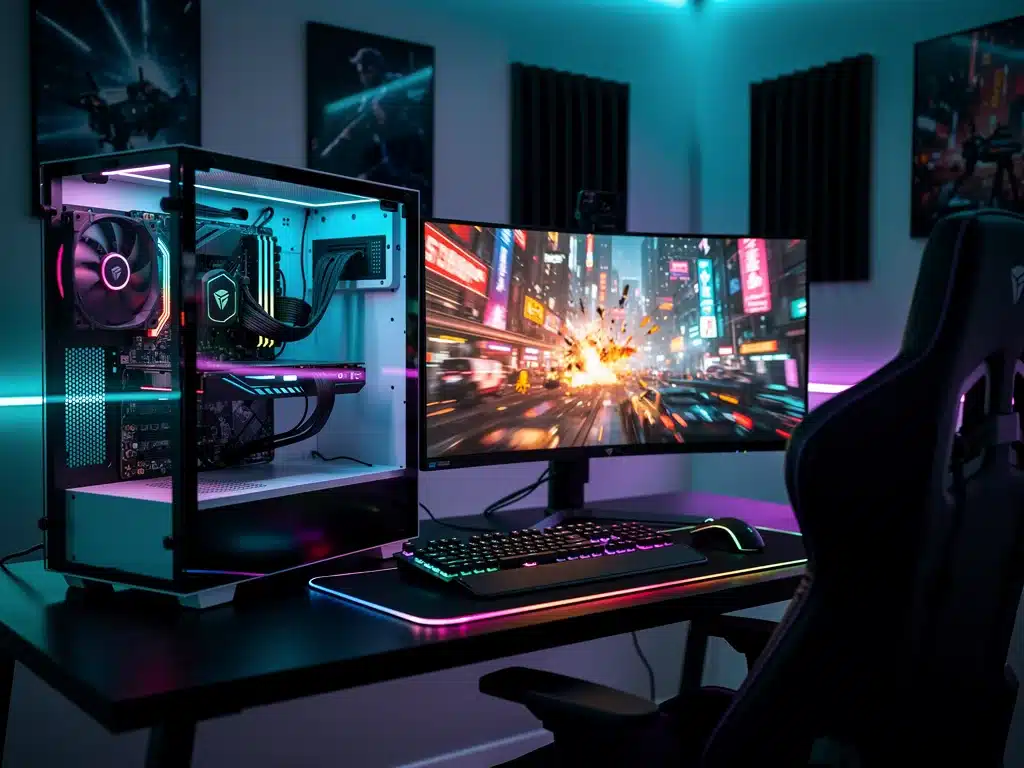
Ready to dominate the latest AAA titles without overspending? Assembling a custom High-Performance PC Gaming Rig on a $1,500 budget offers the sweet spot between elite frame rates and lasting value.
Navigating the 2026 hardware market requires prioritizing raw graphics power and fast storage over unnecessary flash. Smart component selection ensures your desktop build stays whisper-quiet, highly efficient, and easily upgradable for years to come.
Whether you are a first-time builder or upgrading an older desktop setup, maximizing every dollar is easier than you think. Here is your step-by-step guide to choosing the best hardware combinations available right now.
Understanding the 2026 PC Gaming Landscape
The year 2026 presents a unique set of challenges and opportunities for PC builders, particularly those aiming for a high-performance gaming rig under $1500. Component prices fluctuate, new architectures emerge, and software demands continue to push hardware limits.
Navigating this dynamic environment requires up-to-date information and a flexible approach to parts selection. Our focus is on achieving a balanced system that delivers excellent frame rates and visual fidelity in current and upcoming games.
This section lays the groundwork by examining the general trends and expectations for gaming hardware in the near future. It helps in making informed decisions about where to allocate your budget most effectively for a high-performance PC gaming rig.
Core Components: CPU, GPU, and Motherboard Selection
The central processing unit (CPU) and graphics processing unit (GPU) are the heart of any gaming PC, directly impacting performance. For a budget under $1500, careful consideration is paramount to strike the right balance between power and cost.
Modern gaming often leans heavily on the GPU, but a capable CPU is essential to prevent bottlenecks and ensure smooth gameplay. The motherboard, while less glamorous, provides the foundation, dictating compatibility and upgrade paths.
Selecting these three components wisely is the most critical step in building a high-performance PC gaming rig. We will outline optimal choices that offer the best bang for your buck in 2026.
Processor Choices for Optimal Performance
For 2026, mid-range processors from both Intel and AMD offer exceptional value. Processors like the Intel Core i5-14600K or AMD Ryzen 7 7700X are excellent candidates, providing strong multi-core and single-core performance crucial for modern games and multitasking.
These CPUs strike a balance between raw power and affordability, ensuring you don’t overspend on a component that might see diminishing returns in gaming. They also provide enough headroom for future game releases without immediate upgrade concerns.
Graphics Card: The Gaming Powerhouse
The GPU is arguably the most important component for a gaming rig. For under $1500, targeting cards like the NVIDIA GeForce RTX 4060 Ti or AMD Radeon RX 7700 XT provides a significant performance uplift, enabling smooth 1080p and often 1440p gaming at high settings.
- NVIDIA GeForce RTX 4060 Ti offers excellent ray tracing and DLSS capabilities.
- AMD Radeon RX 7700 XT provides strong rasterization performance and FSR support.
- Consider used market options for previous generation flagship cards for even greater value.
Researching benchmarks for specific games you plan to play is crucial. GPU prices can fluctuate, so being flexible with your choice within this performance tier is advisable for a high-performance PC gaming rig.
Motherboard Compatibility and Features
Once your CPU is chosen, selecting a compatible motherboard is straightforward. For Intel, look for Z790 or B760 chipsets, and for AMD, B650 or X670 are suitable, offering necessary features without unnecessary premium costs.
- Ensure the motherboard supports DDR5 RAM, which is standard for current-gen CPUs.
- Check for sufficient PCIe 4.0 or 5.0 slots for your GPU and NVMe SSDs.
- Look for adequate USB ports and connectivity options to suit your peripheral needs.
A good motherboard provides stability and allows for future upgrades, ensuring your high-performance PC gaming rig remains relevant. Prioritize features you will actually use over flashy aesthetics to stay within budget.
Memory and Storage: Speed and Capacity
Fast memory and ample storage are critical for a responsive gaming experience and quick load times. In 2026, DDR5 RAM is the standard, and NVMe SSDs are essential for primary game installations and the operating system.
Skimping on these components can severely hamper the perceived performance of even a powerful CPU and GPU. Optimizing these choices contributes significantly to the overall feel of a high-performance PC gaming rig.
This section will guide you through selecting the right RAM and storage solutions that balance speed, capacity, and cost-effectiveness for your $1500 budget.
DDR5 RAM: The New Standard
For a 2026 build, 16GB of DDR5 RAM is the minimum recommended, with 32GB being ideal if the budget allows. Look for speeds around 6000MHz with low CAS latency (CL30-CL36) for optimal performance with modern CPUs.
Higher RAM speeds can significantly impact CPU-bound scenarios and overall system responsiveness. While 32GB might push the budget, it offers greater future-proofing and smoother multitasking for a high-performance PC gaming rig.
NVMe SSDs: Essential for Speed
An NVMe SSD is non-negotiable for the primary drive where your operating system and frequently played games reside. A 1TB NVMe PCIe Gen4 SSD offers an excellent balance of speed and capacity for this budget.
Consider a secondary SATA SSD or a traditional hard drive for mass storage of less frequently accessed games or media files if budget constraints are tight. The speed difference between NVMe and SATA SSDs is noticeable in game load times.
Power Supply and Cooling: Stability and Longevity
Often overlooked, the power supply unit (PSU) and cooling solutions are vital for the stability, longevity, and performance of your gaming rig. A reliable PSU ensures consistent power delivery, while effective cooling prevents thermal throttling.
Cutting corners here can lead to system instability, reduced component lifespan, and suboptimal performance. Investing in quality power and cooling ensures your high-performance PC gaming rig operates at its peak.
This section details how to select appropriate power supplies and cooling systems that fit within your $1500 budget while maintaining high standards of reliability.
Choosing the Right Power Supply Unit
A 650W to 750W 80 Plus Bronze or Gold certified PSU is generally sufficient for a high-performance PC gaming rig with an RTX 4060 Ti or RX 7700 XT. Always factor in a little extra wattage for future upgrades.
- Prioritize reputable brands like Seasonic, Corsair, or EVGA for reliability.
- Modular or semi-modular PSUs can aid in cleaner cable management.
- Never compromise on PSU quality; it protects all other components.
A higher efficiency rating (Gold over Bronze) means less wasted energy and often better build quality, contributing to a more stable and efficient high-performance PC gaming rig.
Effective Cooling Solutions
For mid-range CPUs, a good air cooler from brands like Noctua or Cooler Master is often sufficient and more cost-effective than liquid cooling. If your CPU choice runs hotter, an all-in-one (AIO) liquid cooler might be considered.
- Ensure your chosen case has good airflow and includes at least two case fans.
- Consider adding extra fans for optimal positive air pressure within the case.
- Regularly clean dust filters to maintain cooling efficiency.
Proper cooling is crucial for maintaining performance during extended gaming sessions, preventing thermal throttling, and extending the lifespan of your components in a high-performance PC gaming rig.
Case Selection and Peripherals: Aesthetics and Ergonomics
The PC case, while primarily aesthetic, also plays a critical role in airflow and ease of building. Peripherals, though not part of the core rig, are essential for the overall gaming experience and should not be an afterthought.
Choosing a case that accommodates your components and provides good ventilation is key to system health. Quality peripherals can significantly enhance immersion and competitive performance.
This section will guide you in selecting a case that balances form and function, along with budget-friendly yet effective peripherals for your high-performance PC gaming rig.
PC Case: Airflow and Compatibility
Look for a case that offers excellent airflow, often characterized by mesh front panels and ample fan mounts. Brands like Lian Li, Fractal Design, and Phanteks offer great options in the mid-range.
Ensure the case has enough clearance for your chosen GPU and CPU cooler. Good cable management features will make the build process easier and improve internal airflow for your high-performance PC gaming rig.
Essential Gaming Peripherals
While not part of the $1500 build budget for the PC itself, allocating funds for a decent monitor, keyboard, and mouse is vital. A 1080p 144Hz monitor is a great starting point to fully utilize your rig’s capabilities.
Invest in a comfortable gaming mouse and a responsive mechanical keyboard. These peripherals directly impact your interaction with games, making them crucial for enjoying your high-performance PC gaming rig.
Software and Operating System Considerations
Once your high-performance PC gaming rig is assembled, installing the operating system and essential software is the next step. While Windows is the dominant gaming OS, there are cost-saving considerations here too.
Optimizing your software environment can also contribute to better gaming performance. Proper driver installation and system configuration are just as important as the hardware itself.
This section covers practical advice on OS acquisition and software setup, ensuring your new gaming machine is ready for action without unexpected expenses.
Operating System: Windows 11
Windows 11 is the recommended operating system for modern gaming, offering the latest DirectX support and performance optimizations. You can purchase a retail key or consider OEM keys for potential savings.
Alternatively, Windows can be installed unactivated for free, with some customization limitations, allowing you to save the cost for other components initially. This is a practical solution for a budget-conscious high-performance PC gaming rig.
Essential Software and Drivers
Immediately after OS installation, ensure all drivers for your motherboard, GPU, and other components are installed and up-to-date. This is critical for stable and optimal performance.
- Download the latest GPU drivers directly from NVIDIA or AMD’s websites.
- Install chipset drivers from your motherboard manufacturer’s support page.
- Consider a utility like MSI Afterburner for monitoring and slight GPU overclocking.
Keeping your system updated and free of unnecessary bloatware will ensure your high-performance PC gaming rig delivers its full potential.
Budget Breakdown and Cost-Saving Strategies
Achieving a high-performance PC gaming rig under $1500 requires meticulous budget management. Every dollar counts, and strategic compromises can make a significant difference in the final build.
This section breaks down a sample budget allocation and provides actionable strategies to save money without sacrificing core gaming performance. Smart shopping is key to maximizing your investment.
Understanding where to spend and where to save is fundamental to building an effective, affordable gaming machine. This includes considering sales, open-box items, and even the used market.
Sample Budget Allocation (Approximate)
A typical $1500 budget might allocate around $400-500 for the GPU, $200-300 for the CPU, $100-150 for the motherboard, $70-100 for RAM, $80-120 for storage, $70-100 for the PSU, and $70-100 for the case.
These are rough estimates, and actual prices will vary. Flexibility in component choices based on current sales and promotions is essential to stay within the $1500 target for a high-performance PC gaming rig.
Smart Shopping and Sales
Always keep an eye on sales events like Black Friday, Cyber Monday, or Amazon Prime Day. Price tracking websites can alert you to deals on individual components, allowing significant savings.
- Consider open-box items from reputable retailers, which often come with warranties.
- The used market, particularly for previous-generation GPUs, can offer excellent value if you are careful.
- Don’t be afraid to mix and match brands if it means better performance for your budget.
Patience and vigilance in monitoring prices are your best allies in building a high-performance PC gaming rig under budget. Every saved dollar can be reallocated to a better component or peripheral.
Assembly Tips and Troubleshooting
Building a PC can seem daunting, but with patience and a step-by-step approach, it’s a rewarding experience. Proper assembly ensures your high-performance PC gaming rig functions correctly from the start.
Even experienced builders encounter issues, so knowing basic troubleshooting steps can save time and frustration. This section provides essential tips for assembly and common problem-solving.
Following best practices during the build process minimizes potential errors and ensures a smooth first boot. This prepares you to fully enjoy your newly assembled high-performance PC gaming rig.
Step-by-Step Assembly Guide
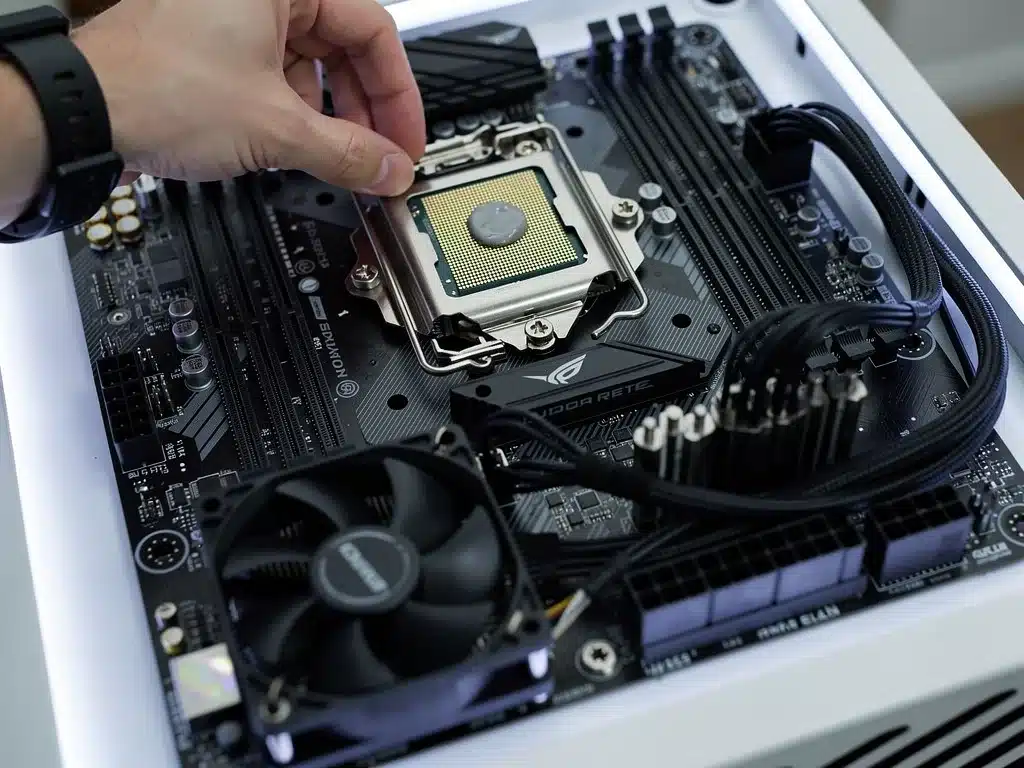
Start by installing the CPU and CPU cooler onto the motherboard before placing the motherboard into the case. Next, install the RAM, then the NVMe SSDs, followed by mounting the motherboard into the case.
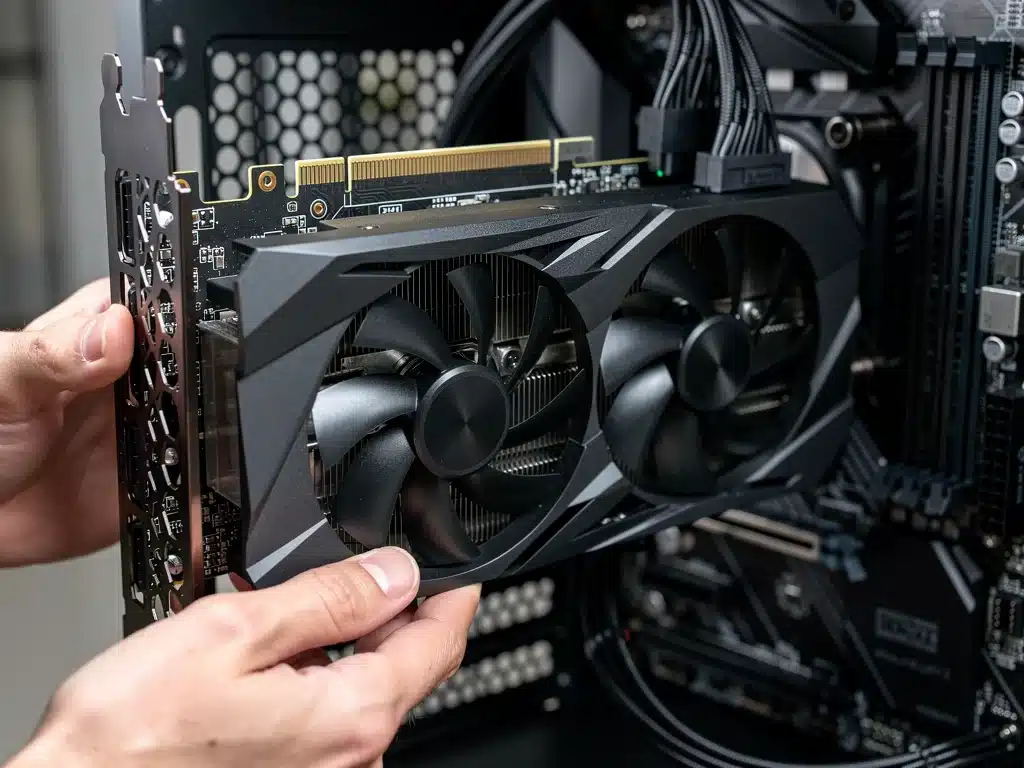
After that, install the GPU, connect all power cables from the PSU, and manage your cables for better airflow. Finally, connect all case fans and front panel connectors carefully for your high-performance PC gaming rig.
Common Troubleshooting Steps
If your PC doesn’t boot, double-check all power connections, especially to the motherboard (24-pin and 8-pin CPU power) and GPU. Ensure RAM sticks are fully seated and in the correct slots according to your motherboard manual.
- Verify all front panel connectors are correctly attached to the motherboard headers.
- If no display, reseat the GPU and ensure your monitor is plugged into the graphics card, not the motherboard.
- Consult your motherboard’s manual for diagnostic LEDs or beep codes if available.
Many issues are minor connection errors. A systematic approach to checking each component and connection will usually resolve problems with your high-performance PC gaming rig.
| Component Priority | Budget Impact |
|---|---|
| GPU & CPU | Highest allocation for gaming performance. |
| RAM & SSD | Critical for speed and responsiveness. |
| PSU & Cooling | Ensures stability and component longevity. |
| Motherboard & Case | Foundation and airflow; balance features with cost. |
Frequently Asked Questions About Building a Gaming PC
Yes, absolutely. With careful component selection and smart shopping, $1500 is a very realistic budget for building a high-performance PC gaming rig that can handle most modern titles at 1080p and 1440p with excellent frame rates. Focusing on value-oriented parts is key.
For most games, the GPU (graphics card) is the single most important component for gaming performance, directly influencing frame rates and visual quality. However, a capable CPU is necessary to prevent bottlenecks and ensure the GPU can perform at its full potential within a high-performance PC gaming rig.
Buying used components, especially GPUs, can offer significant savings and boost your budget for other parts. However, exercise caution: buy from reputable sellers, check for warranties, and thoroughly test components upon receipt. New components offer peace of mind with full warranties.
For a high-performance PC gaming rig in 2026, 16GB to 32GB of DDR5 RAM with speeds around 6000MHz and low CAS latency (CL30-CL36) is recommended. This provides an excellent balance of speed and capacity, optimizing performance for modern CPUs and games.
Not necessarily. Many mid-range CPUs, when paired with a quality air cooler from reputable brands, will perform perfectly fine without thermal throttling. Liquid cooling (AIOs) can be more expensive and are often only necessary for higher-end, hotter CPUs or for aesthetic reasons in a high-performance PC gaming rig.
Looking Ahead
Building a high-performance PC gaming rig under $1500 in 2026 is a testament to strategic planning and informed decision-making. The information presented aims to empower US gamers with the practical solutions needed to achieve their gaming aspirations.
As the market continues to evolve, staying updated on component releases and price movements will remain crucial. This guide provides a solid foundation, but continuous research will ensure your investment remains competitive.
The satisfaction of assembling your own powerful machine, tailored to your budget and performance needs, is unparalleled.
This approach not only saves money but also fosters a deeper understanding of your gaming hardware, leading to a more informed and enjoyable gaming experience.
