Optimize PC Gaming Internet Speed: Reducing Latency by 20ms in 3 Simple Steps for US Players
For US PC gamers, achieving optimal internet speed and minimal latency is crucial for competitive play. This guide outlines three practical, actionable steps to significantly reduce latency by 20ms or more. Implement these strategies to gain a tangible advantage in your online gaming sessions.
Nothing ruins an intense pc gaming session faster than high ping and sudden rubberbanding right when you are about to secure a win. If lag keeps standing between you and victory, trimming those frustrating network delays is easier than you think.
A slow connection cripples competitive desktop play, making your inputs feel sluggish and unresponsive against online opponents. Fortunately, optimizing your home rig’s internet pipeline doesn’t require a degree in network engineering to see real performance gains.
By tweaking a few critical connection settings, you can easily shave 20ms off your ping for a dramatically smoother online experience. Follow these three practical steps to boost your signal, eliminate latency, and dominate the leaderboard.
Understanding Latency and Its Impact on PC Gaming
Latency, often measured in milliseconds (ms), refers to the delay between your computer sending data to a game server and receiving a response. In online PC gaming, lower latency means your actions register faster on the server, providing a more fluid and responsive experience. High latency, conversely, leads to frustrating delays and a disadvantage against opponents with better connections.
Factors such as your internet service provider (ISP), network hardware, and even the physical distance to game servers can influence your latency.
For US players, network congestion during peak hours and suboptimal routing by ISPs are common contributors to elevated ping times. Identifying and addressing these issues is the first step towards a better gaming experience.
A reduction of even 20ms can be profoundly impactful, especially in genres like first-person shooters, fighting games, and real-time strategy. This improvement allows for quicker reactions, more accurate aiming, and overall a more consistent performance, directly contributing to a higher win rate and greater enjoyment.
What Causes High Latency?
Several elements contribute to increased latency, ranging from local network issues to broader internet infrastructure challenges. Understanding these causes is crucial for effective troubleshooting and optimizing your PC gaming internet speed.
Your connection type (fiber, cable, DSL), the quality of your router, and the number of devices sharing your network all play a role.
Additionally, the geographical distance between you and the game server, coupled with the routing paths your data takes, can introduce significant delays. US players often face diverse network conditions depending on their region and ISP.
- ISP Network Congestion: Overloaded local network segments, especially during peak usage hours.
- Suboptimal Routing: Data packets taking inefficient, longer paths to reach game servers.
- Outdated Hardware: Old routers or modems that cannot handle high-speed traffic efficiently.
- Wi-Fi Interference: Wireless signals being disrupted by other devices or physical obstructions.
Why 20ms Matters for US Players
For US players, a 20ms reduction in latency can translate into a tangible competitive advantage. Given the vast geographical spread of game servers and player bases within the US, optimizing your PC gaming internet speed is paramount.
This improvement can mean the difference between landing a critical headshot and missing entirely, or reacting to an enemy’s movement before they react to yours. In high-stakes competitive environments, these milliseconds are not just numbers; they are game-changers.
Many popular online games are designed with competitive integrity in mind, where even slight network advantages can be decisive. Achieving a consistently lower ping ensures that your skill, rather than your connection, is the primary determinant of your in-game success. This makes optimizing gaming latency a key strategy.
Step 1: Optimize Your Local Network Hardware and Configuration
The first and often most impactful step in reducing latency involves refining your local network setup. This includes ensuring your hardware is up-to-date and configured for optimal performance. Many gamers overlook their home network, assuming a fast internet plan is sufficient, but local bottlenecks can severely hinder performance.
Prioritizing a wired connection over Wi-Fi is fundamental for any serious PC gamer. Ethernet cables offer a stable, interference-free connection that Wi-Fi simply cannot match, eliminating many common sources of latency.
Upgrading your router to a gaming-specific model can also provide advanced features like Quality of Service (QoS), which prioritizes gaming traffic.
Proper router placement, minimizing connected devices during gaming sessions, and regularly updating router firmware are simple yet effective measures. These adjustments lay the groundwork for significantly reducing ping and improving overall network responsiveness, crucial for optimizing gaming latency.
Embrace Wired Connections: Ethernet is King
For the most stable and lowest latency connection, an Ethernet cable is indispensable. Wi-Fi, while convenient, is susceptible to interference from other wireless devices, physical obstructions, and signal degradation over distance, all of which contribute to higher ping.
Connecting your PC directly to your router or modem via an Ethernet cable bypasses these wireless vulnerabilities, providing a direct and consistent data path. Cat5e or Cat6 cables are generally recommended for modern internet speeds and gaming requirements, ensuring minimal data loss and maximum throughput.
This single change can often provide the most significant immediate reduction in latency, making it the cornerstone of any effort to optimize your PC gaming internet speed. It is a non-negotiable step for competitive players seeking to minimize network delays.
- Direct Connection: Connect PC to router/modem with an Ethernet cable.
- Cable Type: Use Cat5e or Cat6 for optimal performance.
- Eliminate Interference: Avoid wireless signal fluctuations and drops.
- Consistent Speed: Enjoy more stable bandwidth and lower jitter.
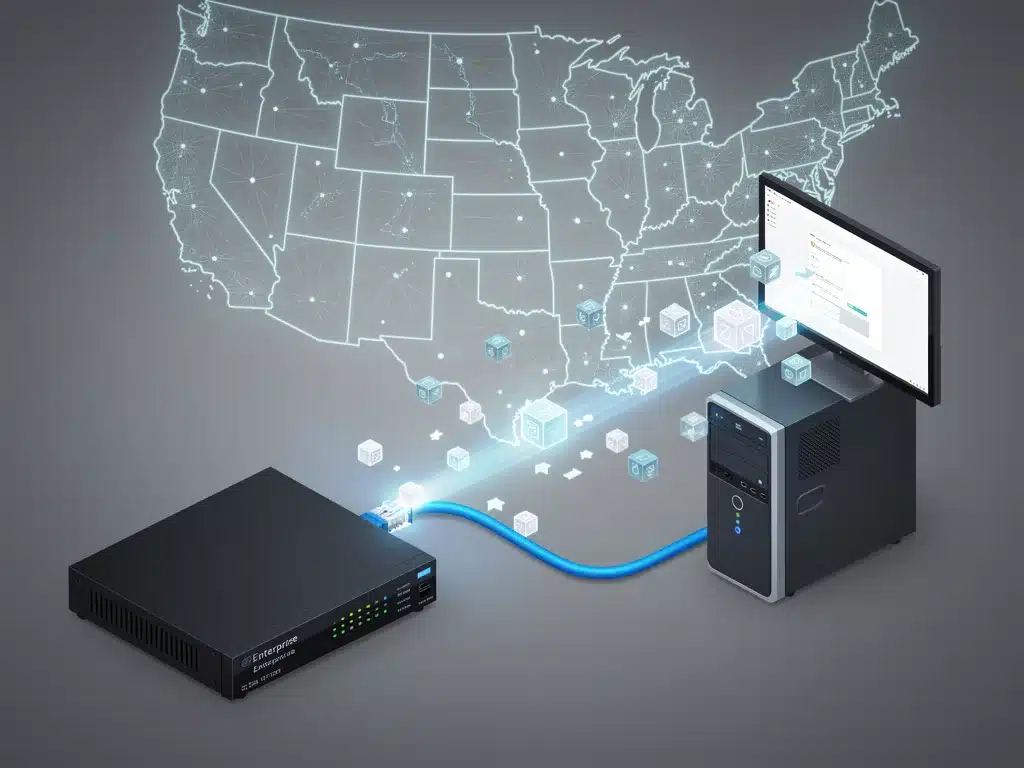
Router Optimization and Quality of Service (QoS)
Your router acts as the central hub of your home network, and its performance directly impacts your gaming experience. An outdated or poorly configured router can introduce unnecessary latency, even with a fast internet plan.
Investing in a modern gaming router often provides advanced features like Quality of Service (QoS), which allows you to prioritize gaming traffic over other network activities. This ensures that your game data receives preferential treatment, even when other devices are streaming or downloading.
Additionally, ensure your router’s firmware is always up-to-date, as manufacturers frequently release updates that improve performance and security. Proper router placement, away from obstructions and other electronics, also helps maintain signal integrity and reduces potential interference for other devices.
Minimizing the number of devices actively using the internet during your gaming sessions can also alleviate network strain. Temporarily pausing downloads or streaming on other devices frees up bandwidth and processing power for your game, contributing to lower latency.
Step 2: Optimize Internet Service Provider (ISP) Settings and Connection
Beyond your local network, your Internet Service Provider (ISP) plays a critical role in your gaming latency.
While you might not have direct control over their infrastructure, there are actionable steps US players can take to optimize their connection and influence how their data is routed. This often involves communicating with your ISP and utilizing specialized tools.
Ensuring you have the appropriate internet plan for gaming is paramount. While raw download speed is important, upload speed and overall network stability are equally crucial for maintaining low latency. A plan with sufficient upload bandwidth prevents your outgoing game data from being bottlenecked, which can cause significant lag.
Furthermore, understanding your ISP’s network health and potential for congestion can inform decisions about when to play or whether to explore alternative providers. Proactively addressing these external factors is key to optimizing gaming latency effectively.
Choosing the Right Internet Plan for Gaming
Many consumers focus solely on download speeds when selecting an internet plan, but for serious PC gaming, upload speeds and connection stability are equally, if not more, important. Online games require a consistent flow of data in both directions, and a low upload speed can create a bottleneck.
For optimal gaming performance, look for plans that offer symmetrical or near-symmetrical upload and download speeds, typically found with fiber optic connections. If fiber isn’t available, prioritize cable plans with robust upload capabilities over DSL, which generally offers lower upload bandwidth.
A stable connection with minimal packet loss is also critical. Even high-speed plans can suffer from inconsistent performance if the underlying network infrastructure is unreliable. Researching ISP reviews in your area, particularly concerning gaming performance, can provide valuable insights.
- Sufficient Upload Speed: Crucial for sending game data without bottlenecks.
- Connection Stability: Prioritize ISPs with low packet loss and jitter.
- Fiber Optic Preference: Offers symmetrical speeds and superior reliability.
- Research Local ISPs: Check reviews for gaming performance in your region.
Utilizing a Gaming VPN or Network Optimization Service
While often associated with security and privacy, some Virtual Private Networks (VPNs) and specialized network optimization services can actually help reduce gaming latency for US players. These services work by rerouting your internet traffic through optimized servers, potentially bypassing congested or inefficient ISP routing paths.
A gaming-focused VPN might connect you directly to a server closer to the game’s host, or through a less congested route than your ISP would typically use. This can result in a lower ping, especially if your ISP’s default routing is suboptimal or if you’re connecting to international servers.
It’s important to choose a reputable gaming VPN, as a poorly implemented one can actually increase latency.
Look for services specifically advertised for gaming, with servers strategically located across the US and offering low-latency connections. This tool can be particularly effective for optimizing gaming latency in specific scenarios.
Before committing to a service, many providers offer free trials, allowing you to test their impact on your specific game and location.
Monitor your ping both with and without the VPN to determine if it provides the desired 20ms reduction or more. This approach requires careful evaluation to ensure actual performance benefits.
Step 3: Software Optimizations and System Maintenance
The final pillar of reducing gaming latency involves optimizing your PC’s software environment and maintaining system health.
Even with a perfect network connection, a cluttered or inefficient operating system can introduce delays, manifesting as perceived lag. These software-level adjustments are often overlooked but can yield significant improvements.
Regularly updating your operating system and network drivers ensures you benefit from the latest performance enhancements and bug fixes.
Furthermore, managing background applications and ensuring your PC isn’t bogged down by unnecessary processes can free up crucial resources for your game, directly contributing to lower latency.
These steps are about creating a lean, efficient gaming environment that allows your hardware and network to perform at their peak. By combining these software optimizations with the hardware and ISP adjustments, you complete a holistic approach to optimizing gaming latency.
Prioritize Gaming Traffic with Windows Settings
Windows offers several built-in settings that can be tweaked to prioritize gaming traffic and reduce background network usage. While not as granular as a router’s QoS, these adjustments can still make a noticeable difference, especially on systems with limited resources.
Disabling Nagle’s algorithm, a feature designed to bundle small packets of data, can reduce latency in certain games by ensuring data is sent immediately. This setting typically requires a registry edit, so proceed with caution or use a reputable guide.
Additionally, ensuring your network adapter drivers are up-to-date and configured for maximum performance, rather than power saving, is crucial. These small adjustments contribute to a more responsive gaming experience by minimizing software-induced delays.
- Disable Nagle’s Algorithm: Can reduce latency for immediate data transmission.
- Update Network Drivers: Ensures optimal performance and compatibility.
- Power Management Settings: Set network adapter to ‘Maximum Performance’.
- Background App Control: Restrict apps from using network resources.
Regular System Cleanup and Driver Updates
A well-maintained PC is a fast PC, and this directly impacts gaming performance and perceived latency. Regular system cleanup, including uninstalling unused programs and clearing temporary files, ensures your operating system runs efficiently, freeing up resources for gaming.
Keeping your graphics drivers, chipset drivers, and especially network adapter drivers up-to-date is paramount. Manufacturers frequently release updates that improve performance, fix bugs, and optimize compatibility with the latest games and operating systems. Outdated drivers can introduce instability and increase latency.
A clean and optimized system ensures that your PC can process game data as quickly as possible, preventing internal bottlenecks that might otherwise negate your network optimizations.
This holistic approach ensures all components work in harmony for the best possible gaming experience, effectively optimizing gaming latency.
Advanced Latency Reduction Techniques for US Players
For US players looking to squeeze every last millisecond out of their connection, several advanced techniques can be explored beyond the foundational steps.
These methods often require a deeper understanding of networking or specific software, but they can provide incremental gains for competitive gamers. They complement the primary three steps by targeting more specific or niche latency factors.
These techniques include fine-tuning operating system network stacks, exploring custom DNS servers, and in some cases, even considering specialized networking hardware.
While not universally applicable or necessary for every gamer, they offer additional avenues for those seeking the absolute lowest possible latency. It’s about pushing the boundaries of what’s achievable.
It is important to approach these advanced methods with caution and research, as incorrect configurations can sometimes lead to network instability. However, for dedicated players, the potential for further reducing latency by 20ms or more makes these options worth investigating.
Custom DNS Servers and Network Stack Tweaks
Changing your Domain Name System (DNS) server from your ISP’s default to a faster, more reliable alternative can sometimes reduce the initial connection time to game servers.
Public DNS servers like Google DNS (8.8.8.8, 8.8.4.4) or Cloudflare DNS (1.1.1.1, 1.0.0.1) often offer better response times and reliability, especially if your ISP’s servers are congested or slow.
Additionally, advanced users can explore tweaking Windows network stack settings through tools or registry edits. These tweaks might involve adjusting TCP/IP parameters, although these changes should only be made with thorough understanding and backups, as incorrect modifications can lead to network issues.
The goal here is to optimize how your PC handles network requests and data packets at a fundamental level, potentially shaving off crucial milliseconds. This contributes to the broader effort of optimizing gaming latency.
Geographic Routing and Peer-to-Peer Optimization
For games that rely on peer-to-peer (P2P) connections or have regional servers, understanding geographic routing can be beneficial. Some gaming VPNs or services specialize in optimizing routes to specific game servers, ensuring your connection takes the most direct path, even if it’s not the default ISP route.
In P2P games, your latency can be heavily influenced by the connection quality to other players. While you can’t control other players’ setups, ensuring your own connection is optimized minimizes your contribution to overall session latency.
Some software tools can help identify and even block connections to high-ping peers, though this is less common and can be complex.
These strategies aim to minimize the ‘hops’ your data takes and ensure you’re connecting to the closest and most efficient game servers or peers. This is a nuanced aspect of optimizing gaming latency for specific game types.
Common Pitfalls to Avoid When Optimizing Internet Speed
While pursuing lower latency, it’s easy to fall into traps that can either yield no improvement or even worsen your connection. Many common misconceptions and misconfigurations can derail your efforts to optimize your PC gaming internet speed. Being aware of these pitfalls is as important as knowing the effective solutions.
Over-reliance on Wi-Fi extenders or powerline adapters without understanding their limitations is a frequent mistake. These devices can introduce their own latency and instability, negating the benefits of a faster internet plan. It’s crucial to evaluate their actual performance in a gaming context.
Another pitfall is blindly applying network tweaks found online without understanding their implications. Some registry edits or software settings can lead to network instability or security vulnerabilities if not properly implemented. Always back up your system and understand the changes you’re making when attempting advanced optimizations for optimizing gaming latency.
Over-reliance on Wi-Fi Extenders and Powerline Adapters
While Wi-Fi extenders and powerline adapters can be convenient for extending network coverage, they often introduce additional latency and can be less stable than a direct Ethernet connection. Wi-Fi extenders essentially rebroadcast a weaker signal, adding another ‘hop’ for your data, which increases ping.
Powerline adapters, which use your home’s electrical wiring to transmit network data, are susceptible to electrical interference and the quality of your home’s wiring. Their performance can be highly variable, leading to inconsistent latency and connection drops, which are detrimental to gaming.
Whenever possible, prioritize running a direct Ethernet cable. If this is not feasible, test the latency provided by extenders or powerline adapters thoroughly before relying on them for competitive gaming. These solutions are generally not ideal when the goal is to significantly reduce latency by 20ms or more.
Ignoring Background Processes and Software Updates
A common mistake is neglecting background applications and failing to keep your system and game software updated. Even with a perfectly optimized network, an overburdened CPU or an outdated game client can introduce significant input lag and perceived latency.
Many applications, such as cloud storage services, communication apps, and system utilities, can consume bandwidth and CPU cycles in the background, even when not actively in use. Regularly closing or disabling these processes during gaming sessions frees up vital resources.
Similarly, always ensure your game clients, operating system, and all relevant drivers are up-to-date. Developers frequently release patches that include performance optimizations and bug fixes that can directly impact latency and overall game fluidity. Neglecting these can undermine all your efforts in optimizing gaming latency.
Measuring and Verifying Your Latency Improvements
After implementing various optimization steps, it’s crucial to accurately measure and verify the improvements in your gaming latency.
Without proper measurement, it’s difficult to ascertain which changes have been effective and by how much. This verification process ensures that your efforts to optimize your PC gaming internet speed are yielding tangible results.
Utilizing in-game ping displays, third-party network monitoring tools, and online speed tests provides a comprehensive view of your connection’s performance. Consistent monitoring before and after implementing changes allows for a clear comparison and helps pinpoint the most impactful adjustments. It’s about data-driven optimization.
Remember that latency can fluctuate due to external factors like server load or network congestion, so consistent testing over various times is important for a true average. This step solidifies your understanding of how to reduce latency by 20ms and confirms your success.
Using In-Game Ping Monitors and Network Tools
Most modern online games include an in-game ping display, which provides a real-time indication of your latency to the game server. This is the most direct way to measure your gaming-specific latency and observe the impact of your optimizations.
Beyond in-game monitors, tools like PingPlotter or even the simple ‘ping’ command in your operating system’s command prompt can provide more detailed insights into your network path.
These tools can help identify specific hops where latency increases, potentially pointing to issues with your ISP’s routing.
Regularly checking these metrics before and after making changes allows you to quantify your improvements. Aim to see a consistent reduction in your average ping, ideally reaching or exceeding the target of reducing latency by 20ms. This objective data is key to optimizing gaming latency effectively.
Interpreting Speed Test Results for Latency
While speed tests primarily measure download and upload bandwidth, they also typically provide a ping (latency) measurement. This ping measurement, usually to a nearby test server, can serve as a general indicator of your network’s responsiveness.
However, it’s important to note that speed test ping might differ from your in-game ping, as game servers are often located elsewhere. Nevertheless, a consistently low ping on speed tests indicates a healthy local connection and a good starting point for gaming.
Look for consistency in ping results across multiple speed test servers and at different times of the day. Significant fluctuations can indicate underlying network instability or congestion that needs further investigation. This helps in the broader goal of optimizing gaming latency.
| Key Optimization Step | Benefit for Latency |
|---|---|
| Wired Connection (Ethernet) | Eliminates Wi-Fi interference, provides stable, lower ping. |
| Router QoS & Updates | Prioritizes gaming traffic, improves overall network efficiency. |
| Gaming Internet Plan | Ensures sufficient upload speed and connection stability. |
| System & Driver Updates | Reduces internal processing delays and ensures optimal performance. |
Frequently Asked Questions About Gaming Latency
Generally, a ping below 50ms is considered good for PC gaming, with anything under 20ms being excellent. For competitive play, aiming for under 30ms is highly recommended. Lower ping ensures minimal delay between your actions and the game server’s response, providing a smoother experience.
Not necessarily. While a fast internet plan provides ample bandwidth, latency is more about the time it takes for data to travel, not just its volume. A high-speed plan with poor routing or local network issues can still result in high latency. Optimizing routing and hardware is key.
While not strictly necessary, a gaming router can significantly help by offering features like Quality of Service (QoS), which prioritizes gaming traffic. This ensures your game data gets preferential treatment, even when other devices are active, contributing to more stable and lower latency.
It’s advisable to check your ping periodically, especially if you notice performance drops. Regularly reviewing network settings and ensuring drivers are updated every few months, or after major system updates, helps maintain optimal gaming latency. Consistent monitoring is key.
In some cases, yes. A gaming-focused VPN can reroute your connection through optimized servers, potentially bypassing congested ISP routes and reducing latency, especially if you’re connecting to distant game servers. However, a poorly chosen VPN can also increase ping, so choose wisely.
What this means
The pursuit of lower latency in PC gaming is an ongoing process, but by focusing on these three core areas—local network optimization, ISP connection refinement, and software maintenance—US players can achieve significant improvements.
Reducing latency by 20ms or more is a realistic goal that directly translates to a superior and more competitive online gaming experience. Continued vigilance in monitoring network performance and adapting to new technologies will ensure sustained low-latency gameplay.
